Every setting
The event’s Settings page, group by group, every switch explained. Set once, then left alone — each session’s work happens elsewhere.
Divisions — the structure
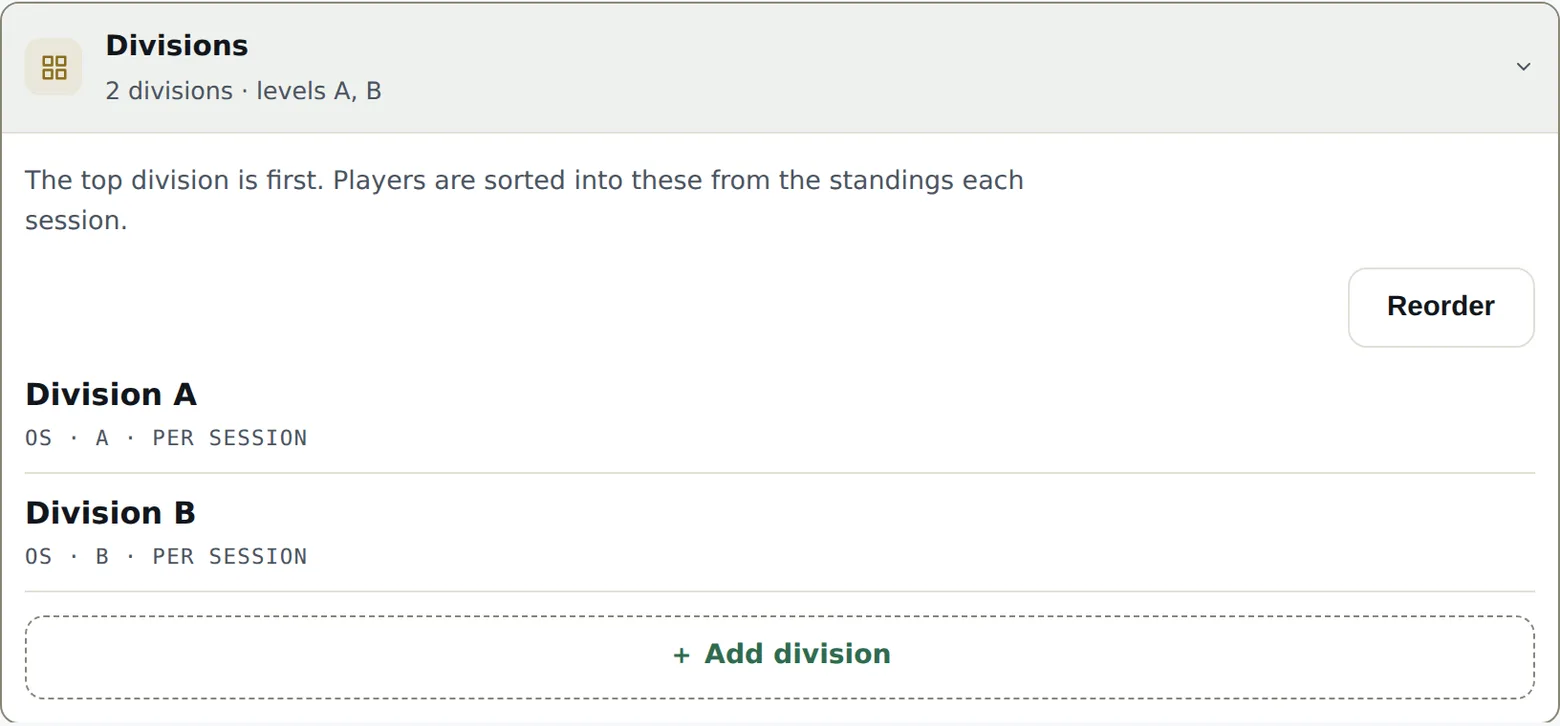
This is where the event takes its shape — the chip reads Divisions for a league, Categories for a tournament. For each division:
- Discipline — Singles or Doubles, with no gender rule; men’s or women’s singles or doubles; mixed doubles. A gendered discipline requires each player’s gender at online sign-up and refuses anyone it cannot seat — see Doubles and teams; plain Singles and Doubles ask nothing.
- Level — the letter (A, B, C…). Required for a league: points are counted on the level. The form offers the levels already in use — reuse them; a new level scores apart, separately from the ones already there.
- Name — suggested automatically (“Men’s Singles A”), editable.
A new division joins the bottom of the list; the Reorder button fixes the order — and that order matters: it’s the promotion-relegation staircase, top division first.
The division mode
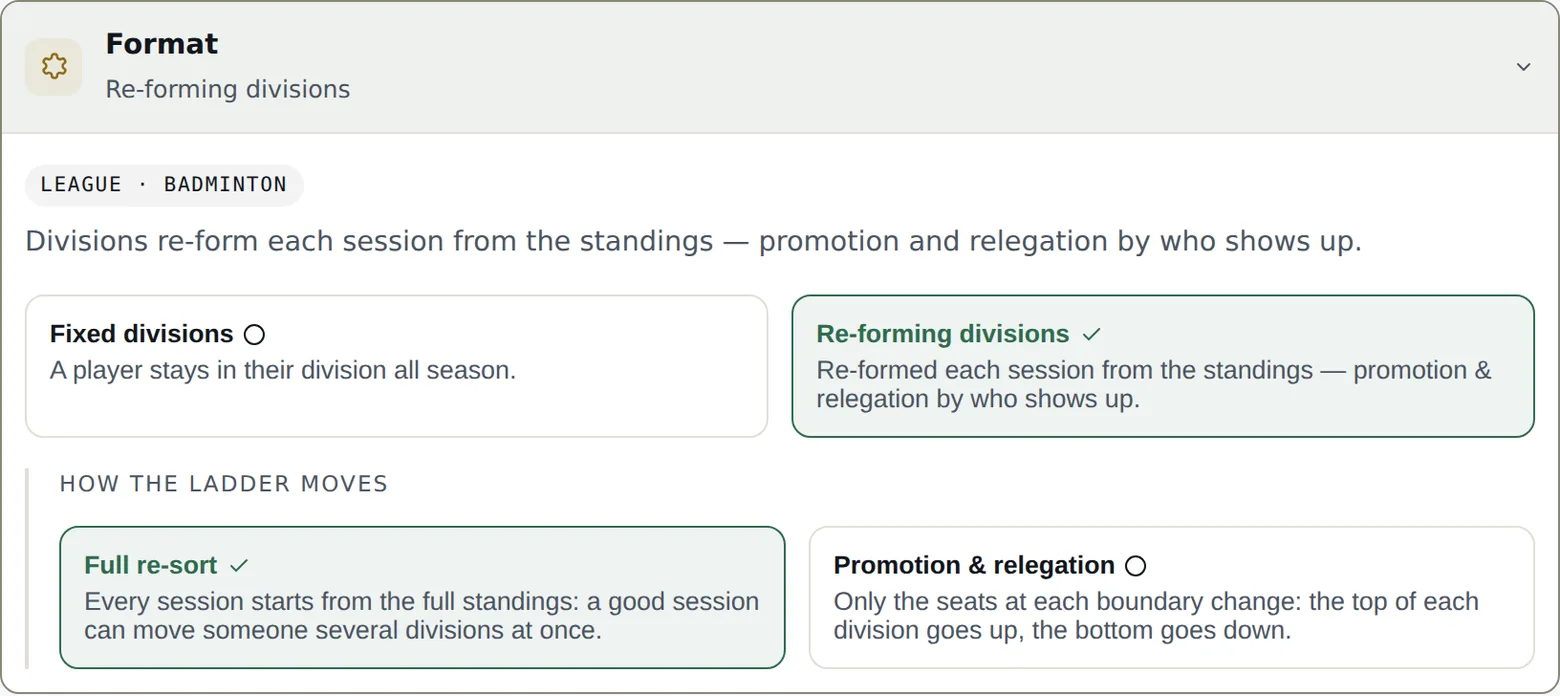
- Fixed divisions — a player keeps their division all season. Each division has its own entrants and plays its own matches. Until any of their matches has started, you can still move a player, pair or team to another division from the entrants tab: their scheduled, unplayed matches are removed, and you regenerate the session.
- Re-forming divisions — those present are spread by ranking at every session: promotion and relegation live, according to who shows up.
The mode locks at the first match played — changing it afterwards would reread every result under a different rule. Decide it before the first session.
In re-forming mode, How the ladder moves picks the engine: promotion & relegation (only the border places change — the top of each division moves up, the bottom moves down, decided on court) or full re-sort (every session restarts from the whole ladder — one good session can jump a division at once). Then How many seats change: Automatic (recommended — adapts to who’s present: 1 place up to 5 players, 2 from 6 to 9, 3 from 10) or a fixed number, never more than half the division.
Format — games and points
A league’s default format is 3 games to 15. Change it for the whole event, then refine where needed: per division, per phase (pool or playoffs), or for a single session. A tournament has nothing to set here — its format is fixed per bracket, at generation time; a team league configures its encounter under Team play. A session shows its title, date and hours here, editable until it is played or locked — sign-up follows and closes at the new start time; if it belongs to a series, This one and the following shifts the following sessions by the same number of days and gives them the same hours and title.
Sessions — how they unfold
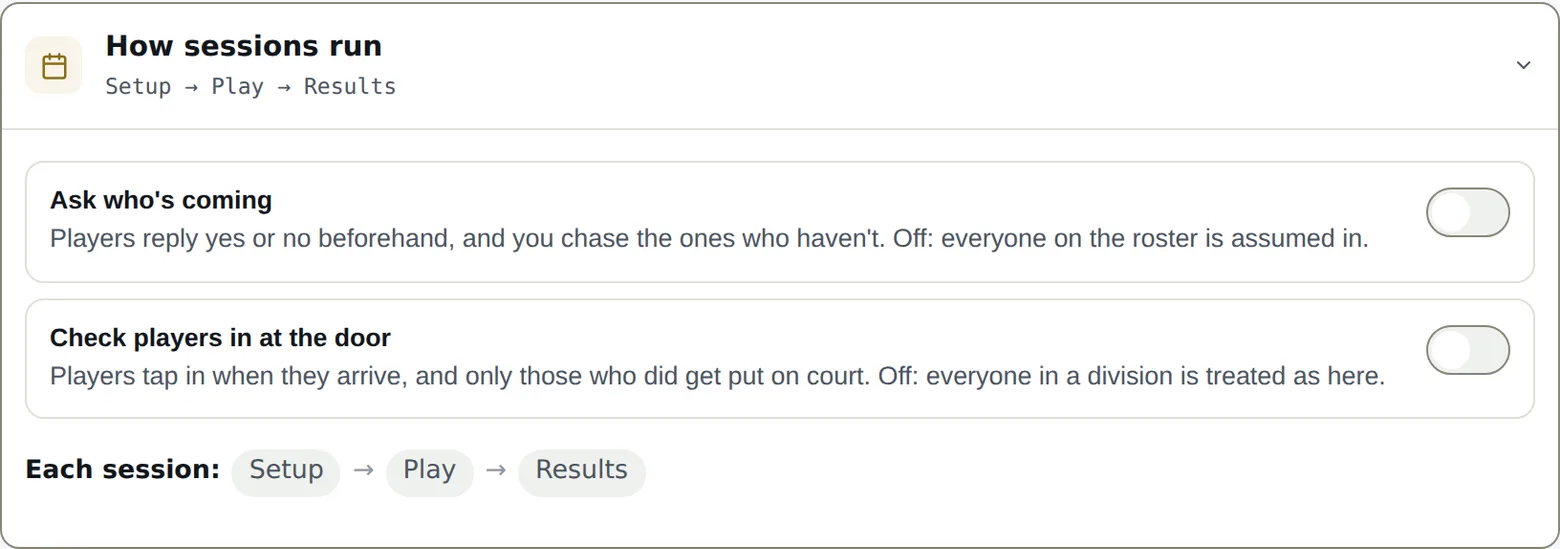
A session moves through four moments: Roster → Setup → Play → Results — three without RSVP, the session then starting at Setup. Two switches decide what “Roster” demands:
- Ask who’s coming — players answer yes or no in advance (the RSVP links), and you nudge those who haven’t answered. Off: no RSVP, the session prepares without a poll.
- Check players in at the door — players flag their arrival, and only those checked in get placed on courts. Off: every entrant is placeable by default. Arrivals then live in the Play tab, above the courts — checking someone in can send their match straight onto a free court.
Automatic invites
Under Ask who’s coming, a second switch, Send the invites automatically, sends each session’s invite for you: how many days before (the same day, the day before, or up to two weeks), at what time, and whether a reminder follows a few days later for whoever has not answered. Times are your club’s — the zone is set in the organization settings and detected from your browser the first time. A sentence under the fields names the next invite and its session, then the one after, and moves as soon as you change a value. The full story is in chapter 3.
Just above that switch, Language of the invites decides the email’s language — not your console’s. It covers every invite this event sends: the ones that go out on their own and the ones you send yourself from the Roster page. A club that automates nothing still gets to set it.
Emailing starts with the Club plan. On Free, RSVP links are prepared and copied from the roster, to share by hand; the automatic-send switch and the send button stay grey, with the reason. Club sends up to 2,000 emails a month — invites, reminders, team links —, Pro 10,000; a guard of 300 a day (1,000 on Pro) keeps one slip from spending the month in an evening. A send that goes past the quota goes out for what fits and says how many wait — for the 1st of the month, or a bigger plan. Receipts, pay links and sign-in links don’t count.
Further down, Courts names your courts for the whole season — “A, B, Centre”, comma-separated, the first being court 1. The play board, the setup and the public screen use them every session; without names they are Court 1, 2, 3. Nothing to rename session by session.
A team league has this field in the same place, and nothing else in this section: the switches above it ask who is coming, which an interclub never does. Name them anyway — these are the names captains read under their fixture when you reserve courts for an encounter.
Captains — the team link, sent for you
A team league has no RSVP: in place of “Sessions” it has Reaching the captains. The same clock setting, for another email: Send the team link automatically sends each captain their team’s link so many days before each date (the same day, the day before, or up to two weeks), at a set time — club time, as for the invites. Only the captains whose team plays that day get it, with the opponent, the date and the division; no reminder.
A word for the captains goes with every send: call time, hall, shuttles — 500 characters, written once for the season. You can add one image to it — a map of the hall, a poster: Add an image, or drag it into the box from a computer. It saves as soon as you pick it and goes out under the word in every automatic send; say what it shows in words too, since many inboxes hide images. Language of the emails decides the message’s language, not your console’s. A sentence under the fields names the next send and its encounter, then the one after.
It takes one address per team — the one on the card in Teams, where the link is also sent by hand, to one team or all of them. The link itself, and what it does, in chapter 6.
Points — the scale
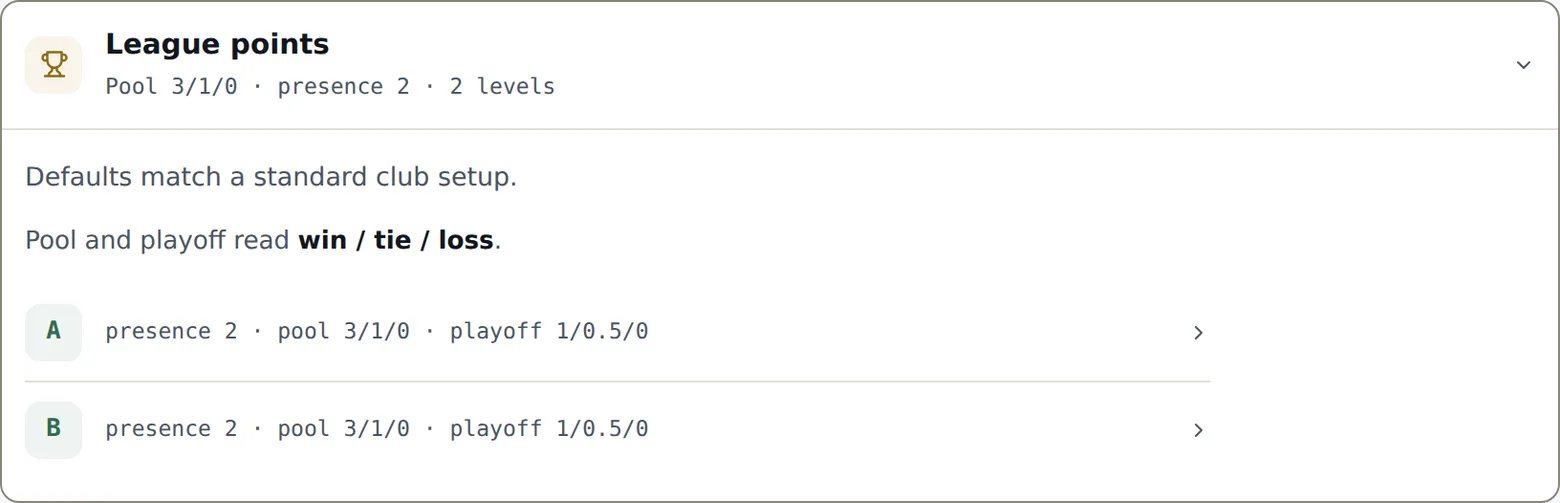
The League points scale is set level by level: win / tie / loss, in pool and playoffs separately, plus the presence point (earned by playing at least one match that night). Half-points are allowed. The defaults match a standard club — only touch them if your league already has its traditions.
One-session pairings answers a doubles-league question: what is a session played with a substitute partner worth to the player’s regular team? Full points come home, Half comes home, or Stays with the pairing — the one-night pair always keeps its own line in the standings; the setting only decides what flows back to the regular team.
Scores — who confirms, when it locks
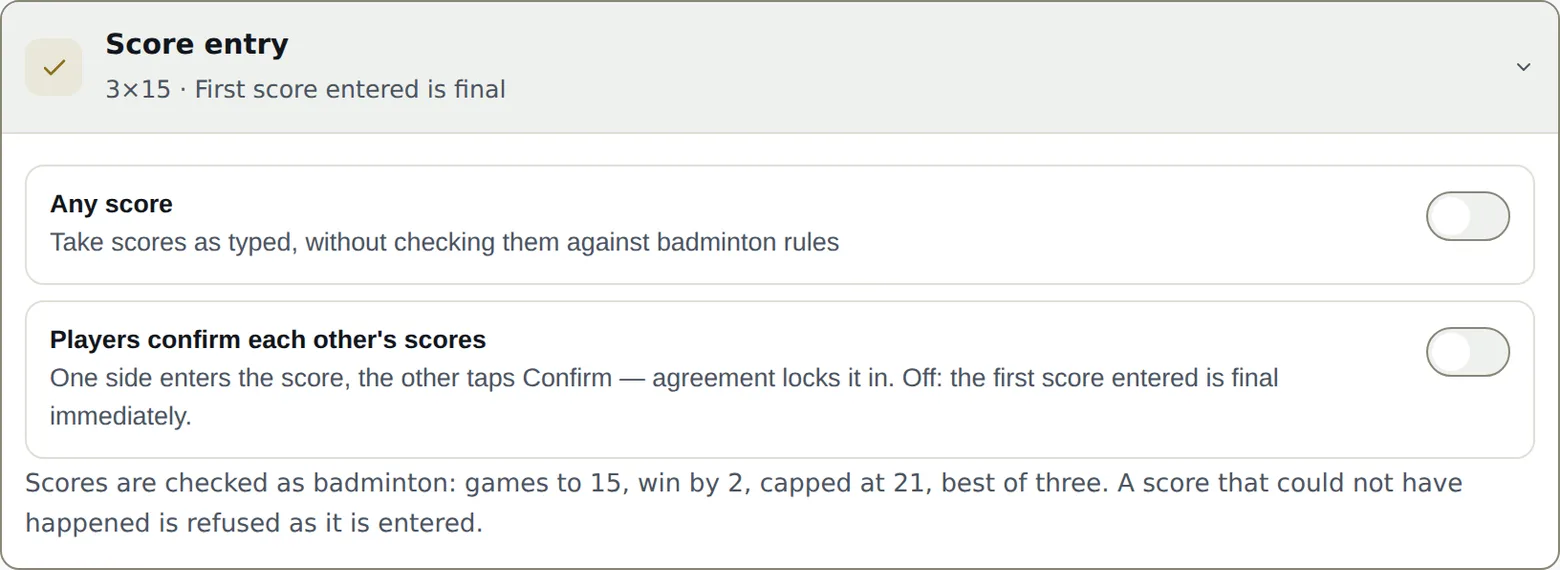
- Players confirm each other’s scores — one side enters the score, the other taps Confirm: agreement locks it. Off: the first score entered is final. Either way, scores you enter from the console are final immediately.
- When the other club confirms — team leagues only: the switch reads The other club confirms scores, and this choice says what: Per match, each match is confirmed as soon as it’s entered, as everywhere else; Per encounter, scores go in without confirmation, provisional, and at the end each captain signs the sheet from their link — standings move at the second signature. Per encounter there is no locking delay and no player corrections: the captain fixes a score before signing, and a sheet a captain doesn’t sign, you approve from the Play page — locking the session also approves every complete sheet. A score you enter from the console is still final straight away; if it changes a sheet a captain already signed, that signature drops and they sign again. The change applies straight away, encounters under way included. The details are in chapter 6.
- If nobody answers — a score nobody disputes locks itself after 10, 20, 45 minutes or 1 hour; or Only when confirmed, and it stays open until the other side confirms — or you rule.
- Players can fix a score — Never (the default: a locked score is only fixed from the console), for a limited time after it locks (5 minutes to 12 hours, counted from the moment the score locks) or until the session ends. A fix follows the confirmation rule: on, the opponent approves it before the standings move; off, it applies immediately. A score you entered yourself, a bye, a locked or finished session, and the pool scores of a bracket that has started stay fixed whatever the setting.
- Any score — records scores as declared, unchecked. Off, scores are validated like badminton: games to 15, win by two, capped at 21. A game that ends at the cap therefore leaves the loser on 19 or 20 — “21-13” is refused, because such a game would have ended at 15-13. On, any score up to 30 a side passes, one to five games.
Official levels — the division rule
For every kind of event. Level system picks a federation’s official list — to start with, Badminton Québec (adults): Elite, A, B, C, where unranked players are C; or Badminton Québec (juniors): U19, U17, U15, U13. The list can’t be edited from your console: the federation keeps it, and SetRally carries it. Each division then takes a level from it, or none: when you create one, the official level is a single tap and also becomes its points key; on the division list, a badge changes it at any time, without ever touching its points.
- Check official levels — the rule: a player can’t play in a division below their level. A B player plays in B or higher, never in C. A division with no official level takes everyone.
- Warn or refuse. In a team league, Refuse an illegal lineup (Team play) decides, at the captain’s lineup; the roster and online sign-up only warn. Elsewhere, Refuse sign-ups above the level decides for the public form. In the console you are never blocked: the mismatch shows in gold beside the player, and that’s all.
- The top division takes every level — otherwise an Elite player in a team league whose top division is A could play nowhere. On by default in a league, off in a tournament (a tournament offering only B and C refuses an A player), never for age groups.
- An unknown level never blocks. The player wears a “?”, and the setting counts the ones left to fill in on the entrants tab, where every name carries its level, changed with one tap.
- Ask for the level at sign-up — the public form asks each player’s level, always optional. A value you entered in the console has the last word over one a club declares.
- A league that re-forms every session: SetRally places the teams itself, so the rule only warns — a card on the split says who would sit below their level.
A player’s level never shows on public pages or on the Arena: only in the console and on the captain’s page. A division’s rule (“up to B”) does show on the sign-up form, so a club picks the right one.
Team play — the encounter
For a team league only: What an encounter is made of — the list of matches (discipline by discipline, 1 to 20), played in that order at every encounter, then the lineup rules. Refuse an illegal lineup decides their weight: off, the captain sees a warning and saves anyway — a team one player short at 4:55pm has nobody left to call; on, they cannot save, and the forfeit stays their way out, since a conceded match is checked against nothing. Captains lock in the lineup at the start time, on by default, decides how the evening runs: on, each captain locks in at the encounter’s start time, both lineups are revealed on the second lock-in, and a change after that needs the other club’s approval; off, lineups simply show at the start time and stay editable match by match until that match is played — for a friendly league, where the ritual has no stakes. An encounter a captain has already locked in keeps it, even if you turn it off afterwards. The number you set is Matches per player, at most: one cap for men, one for women, because a règlement often asks one more of the women, who are fewer in the lineup; Montréal says two and three. On top of that, the gender each discipline calls for, checked on its own. The minimum number of men and women is not a setting: it follows from the list of matches, those two caps and the one-per-discipline rule below, and SetRally shows it to you. The screen shows the result under Minimum lineup: “Men: at least 4. Women: at least 2. That is 6 players per club.” — that is the number the server refuses when an entry cannot cover it. Leaving a cap empty (“no cap”) means there is no rule. Finally One match per discipline per player, and Singles order follows level: the singles 1 player must be at least the level of the singles 2 player — two players of the same level swap freely, and the rule needs a level system. Stand-ins, at most bounds the cover a club brings in: one number per encounter, another across the season, each optional — and zero is a value, the one a league writes when only the signed-up roster may play. They are counted in appearances: a stand-in counts once per encounter even if they play three matches, and three times if they come back for three encounters. Without that, a club under a roster cap could field fifteen different people over a season by calling them all stand-ins. A player with no gender on file is never refused, even when the league refuses: the gender rules simply pass over them. The setting counts the ones left for you to fill in under Teams, where every name carries its gender, editable at any time. A team’s roster, meanwhile, is capped by the players-per-team number set under Sign-up. That is what every encounter is made of; who plays whom, and when, is planned with the dates under Sessions. The full story is in chapter 6.
Sign-up — fee, spots, opening
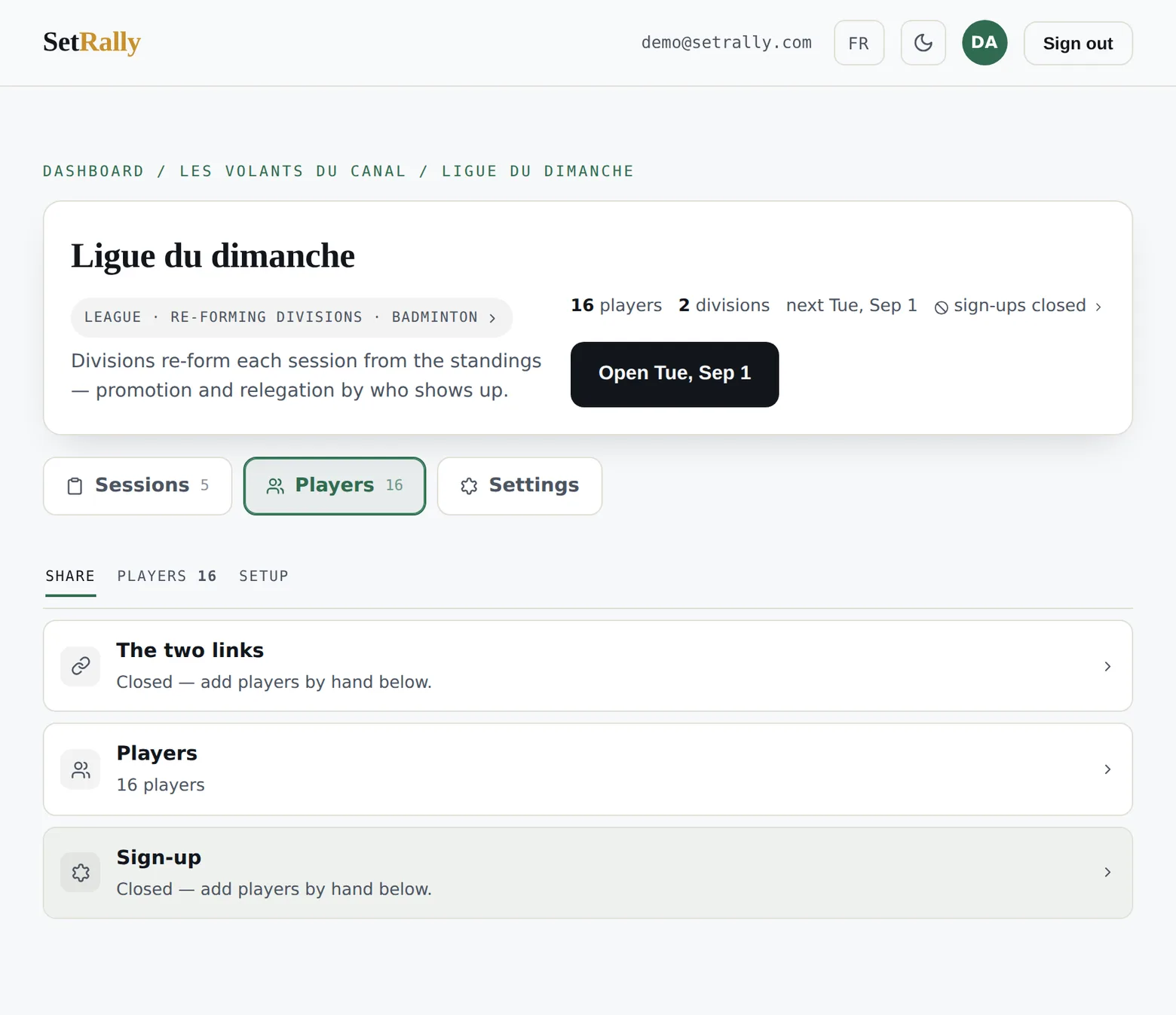
The money settings don’t live under Settings but with the entrants: in their tab, the Setup chip opens the Sign-up section — the fee (per player or per team, division by division), the spots (capacity per division, held the moment a payment starts), and the switch that opens or closes the public form. A session has neither this tab nor these Settings: everything is set on its page (chapter 3). The full tour is chapter 2.
Plan — what this event can hold
On the Free plan, every league, tournament or program is limited to 2 divisions and 16 players, held seats included. A session has none of these limits, and this section does not show for it. Players you add yourself count the same as those who sign up online: past the limit, the addition is refused, with a Lift the limit link to this section. The Plan section of Settings — shown on the Free plan only — says where you stand (“Divisions: 2 of 2 · Players: 11 of 16”) and opens three doors. Unlock this event is the à-la-carte tournament: $49 once, through Stripe, for this event only, administrator of the organization only; Stripe’s payment page is the confirmation, there is no other. Move to Club lifts the limits on all your events. And nothing at all when players pay their sign-up online through SetRally: the tournament is then covered by the 3% commission on sign-ups collected (plus Stripe’s fees), with no limit on divisions or players as long as online payment stays on — turn it off and the limits return, without removing anything already there. Once unlocked or covered, the section says so, and the limit no longer shows up when you add a division. An unlocked or covered tournament does not take the Free plan’s active-event slot either: when your league holds it, the New event form’s button becomes Create and pay — $49 for a tournament — paid first, created as soon as Stripe confirms. The à-la-carte tournament, paid or earned through online sign-ups, applies to tournaments only: a league on the Free plan keeps its 2 divisions and 16 players until the Club plan — a whole season for $49 would not be a plan, it would be a back door. Every sign-up has to be paid: a $0 price (a free role, juniors…) or a free division beside paid ones brings the limits back, since those sign-ups move no money through SetRally. The console warns you while you type your prices: as soon as a $0 price or a free division sits beside a paid one, a note under the prices says so, in the sign-up settings as on the division’s page, with a Lift the limit link to this section.
Your data — take it any time
What your event holds is yours. Your data, the last row of the settings, just above the danger zone, hands it to you as files a spreadsheet opens — Excel, Numbers or Google Sheets —, whenever you want and without having to ask us. One file per subject:
- Players — one line per person: email, team or pair, division, member or drop-in, gender, and the official level when the event follows a level system.
- Registrations and payments — one line per player on each online sign-up: date, status, option chosen, amount, where the payment stands and how it is made.
- Results — one line per finished match: date, division, both sides, the score game by game, the winner and, where there was one, the side that forfeited. In a team league, each match follows its encounter and names who played it; the encounter carries the count of matches won, “5-3”.
- Standings — leagues only: the season table as the console shows it, from rank to difference.
Email addresses stay with the administrator. A manager downloads the same files without the email column: names, divisions and what was paid are what running the event takes, while the address list of every member belongs to the organization. A manager can be removed from the organization; a file already downloaded cannot be taken back.
The files follow the console’s language: in English, columns are separated by commas and amounts take a decimal point; in French, semicolons and a decimal comma, the way Excel expects them in Québec — either way a double-click opens them, accents included. A name typed as a formula (“=…”) arrives with an apostrophe in front: the spreadsheet shows it as text instead of running it on your computer.
The danger zone
At the very bottom, two buttons. Archive puts a finished event away: it frees your active-event slot — the one the Free plan counts —, nothing is deleted, public pages and results stay online, and you can restore it. Delete league (or Delete tournament) erases the event, its divisions, its registrations and its results. It’s irreversible and the console makes you confirm it in so many words — there is no trash bin.